Try it on a real price list — free
Upload two pages of any supplier file and see the structured output before deciding anything. Plans and the agency tiers are on the pricing page; running Odoo for clients? Email contact@microcitylabs.com.
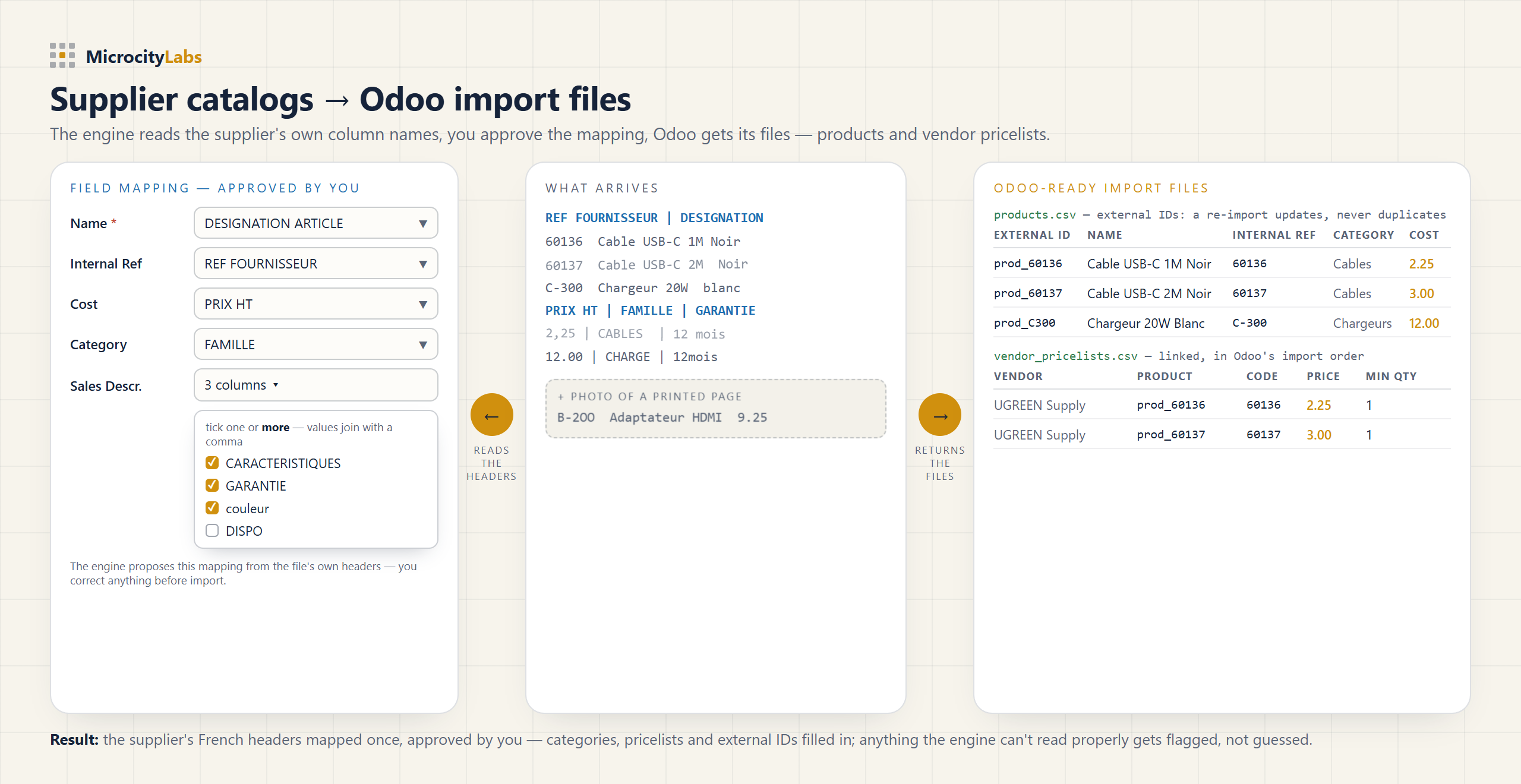
Odoo imports products from CSV or XLSX files that must match its own column names and its own import order — and supplier price lists never arrive that way. The fastest path is to convert the supplier file into two Odoo-ready CSVs — products first, then vendor pricelists — with an External ID on every row so a re-import updates products instead of duplicating them.
A real supplier price list is a 100-page PDF with section banners, merged cells where one description covers five variants, prices in mixed formats — sometimes photographed printed pages. Copying that into Odoo's template by hand takes days per supplier, every time the price list changes, and one shifted row puts the wrong price on the wrong product.
The MicroCity engine reads the supplier file as it arrives — PDF, Excel, scan or photo — and returns the two files above, ready in Odoo's import order, external IDs assigned, plus a README with the exact steps. From one real supplier PDF it returned 89 products with codes, categories and prices, each traceable to its source page. Anything the engine can't read properly gets flagged, not guessed.
Honest limit: the engine returns import files — it does not connect to your Odoo database, install modules, or sync inventory. You load the files yourself and review every product before they go in. That is by design.
Upload two pages of any supplier file and see the structured output before deciding anything. Plans and the agency tiers are on the pricing page; running Odoo for clients? Email contact@microcitylabs.com.
Also on the Odoo Apps store: Odoo to Shopify Sync - Anything to Database ($149), an Odoo module that sends your Odoo products and stock to your Shopify store.