Guide · PrestaShopImport supplier price lists into PrestaShop
PrestaShop imports products from a CSV or XLSX where every product is one clean row and every column is mapped to a field — and supplier price lists never arrive that way. The fastest path is to upload the supplier file as it is, PDF, Excel, scan or photo, check the rows the engine reads in a review box, choose which column feeds each field, and let the module create the products in your shop, offline until you confirm.
What PrestaShop's importer needs
- One row per product. Advanced Parameters > Import reads CSV or XLSX only. A PDF, a scan or a photo of a printed page cannot be uploaded.
- Mapped columns. Name, Reference (your SKU), Price tax excluded, Category, Description, Quantity — each column matched to a field on the import screen, every time.
- Clean values. A price with a currency symbol, a description that spans five variant rows, or a section banner in the middle of the table either fails the import or lands on the wrong product.
- A review step you build yourself. The native import creates products enabled by default unless you set Active to 0 in the file.
Why supplier files break the import
A real supplier price list is a 40 to 100 page PDF with section banners, merged cells where one description covers several variants, prices in mixed formats, sometimes a photographed printed page. Retyping it into PrestaShop's template takes hours per supplier, every time prices change, and one shifted row puts the wrong price on the wrong reference.
The fast way: the Supplier Import module
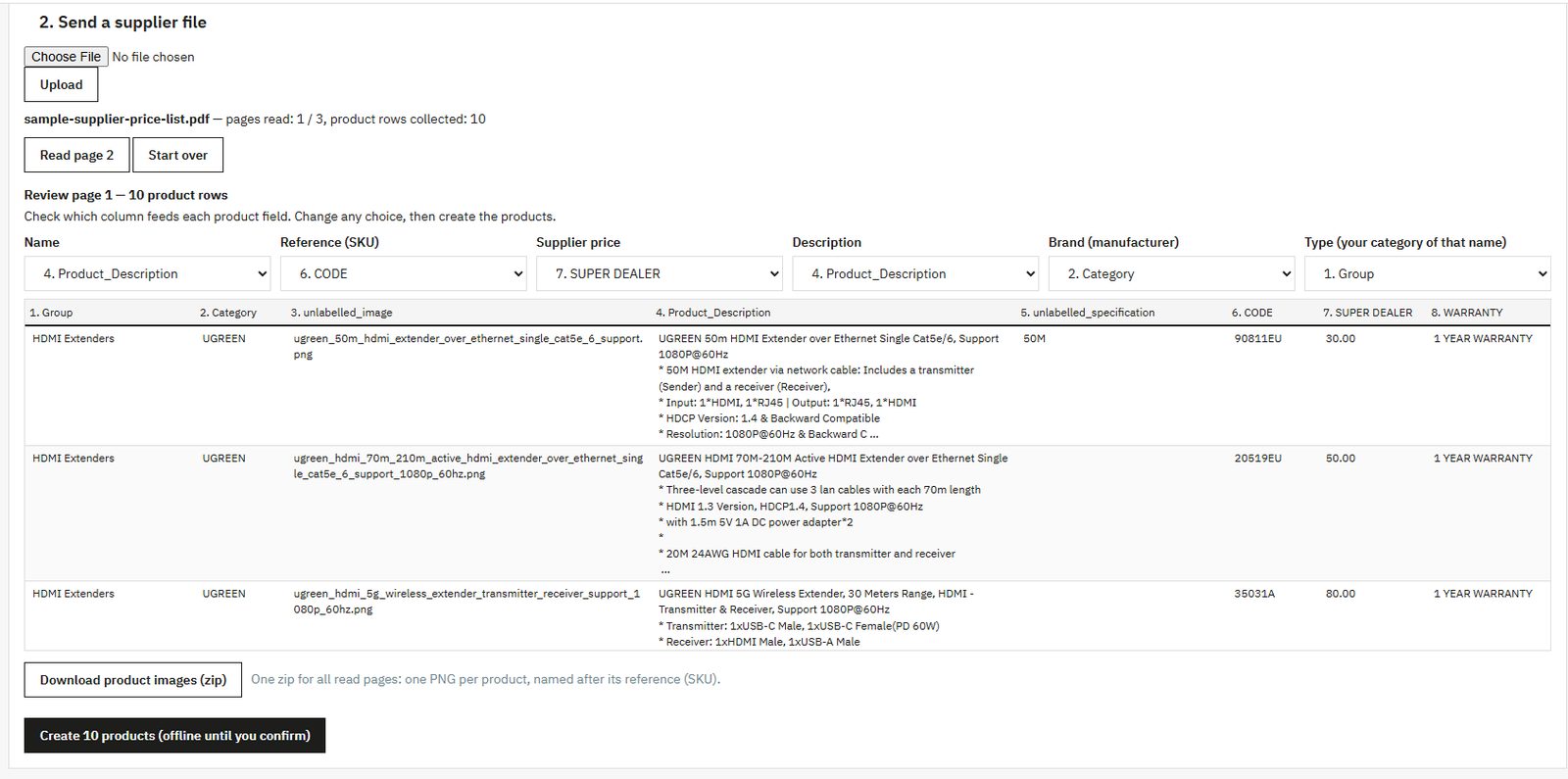
Anything to Database Supplier Import is a module on PrestaShop Addons (in your Modules list it appears as A2DB Supplier Import). From your back office you upload the supplier file as it arrives; the module sends it to the MicroCity engine, which reads it page by page with a visible page counter. Before anything is created, a review box shows the rows read from the page and lets you choose which column feeds each product field. The module then creates the products locally through standard PrestaShop classes, always offline until you confirm, so nothing goes on sale until you switch it on under Catalog > Products. Variant families are flattened into simple products (name plus option) so every priced row is reviewable.
- Reads PDF, Excel (.xlsx / .xls), CSV, scans and photos (JPG, PNG), including multi-page files and merged cells.
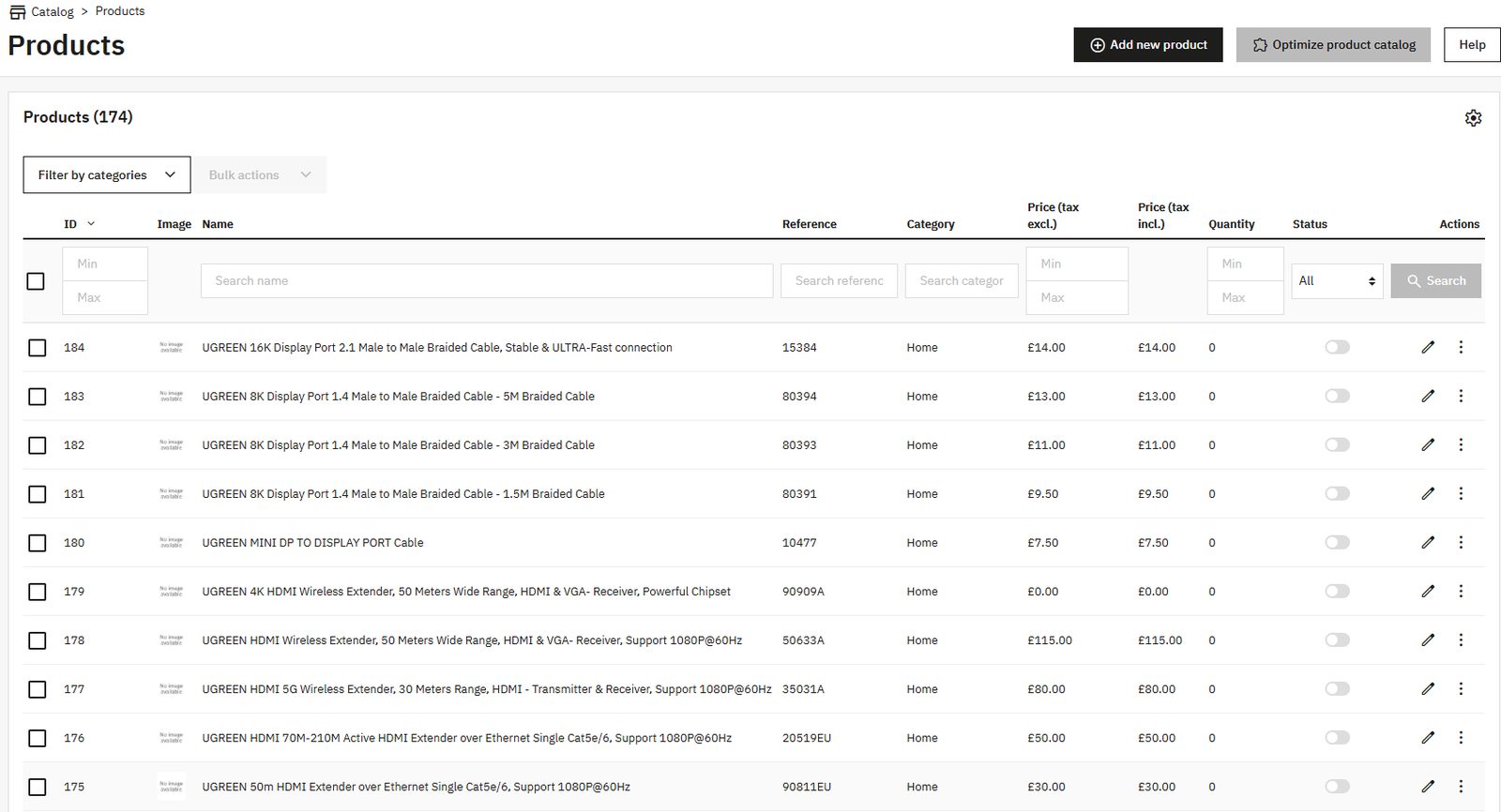
- Creates each product with its name, reference, price and cost price (both set to the supplier price — your margin stays your call), description (with the warranty line when the file has one), brand as manufacturer (created when it does not exist yet), category (one of your existing categories with that name, else Home) and stock 0.
- Works with PrestaShop 1.7.4 to 9.x (tested on 8.2.8 and 9.1.5). Needs the PHP cURL extension, standard on almost all hosts.
- Needs a Microcity Labs account and its API key. The free plan works (daily free page quota); larger volumes need a paid plan on microcitylabs.com.
- Sends only the supplier file you upload, over HTTPS with your API key. Your shop database credentials never leave your server.
- Keeps imports apart: each back-office user has their own import in progress.
Step by step
- Install. Modules > Module Manager > Upload a module: upload the ZIP from Addons, then click Configure. In your Modules list it appears as A2DB Supplier Import.
- Connect. Create a free account on microcitylabs.com, copy the API key from the account page, paste it in the module and save.
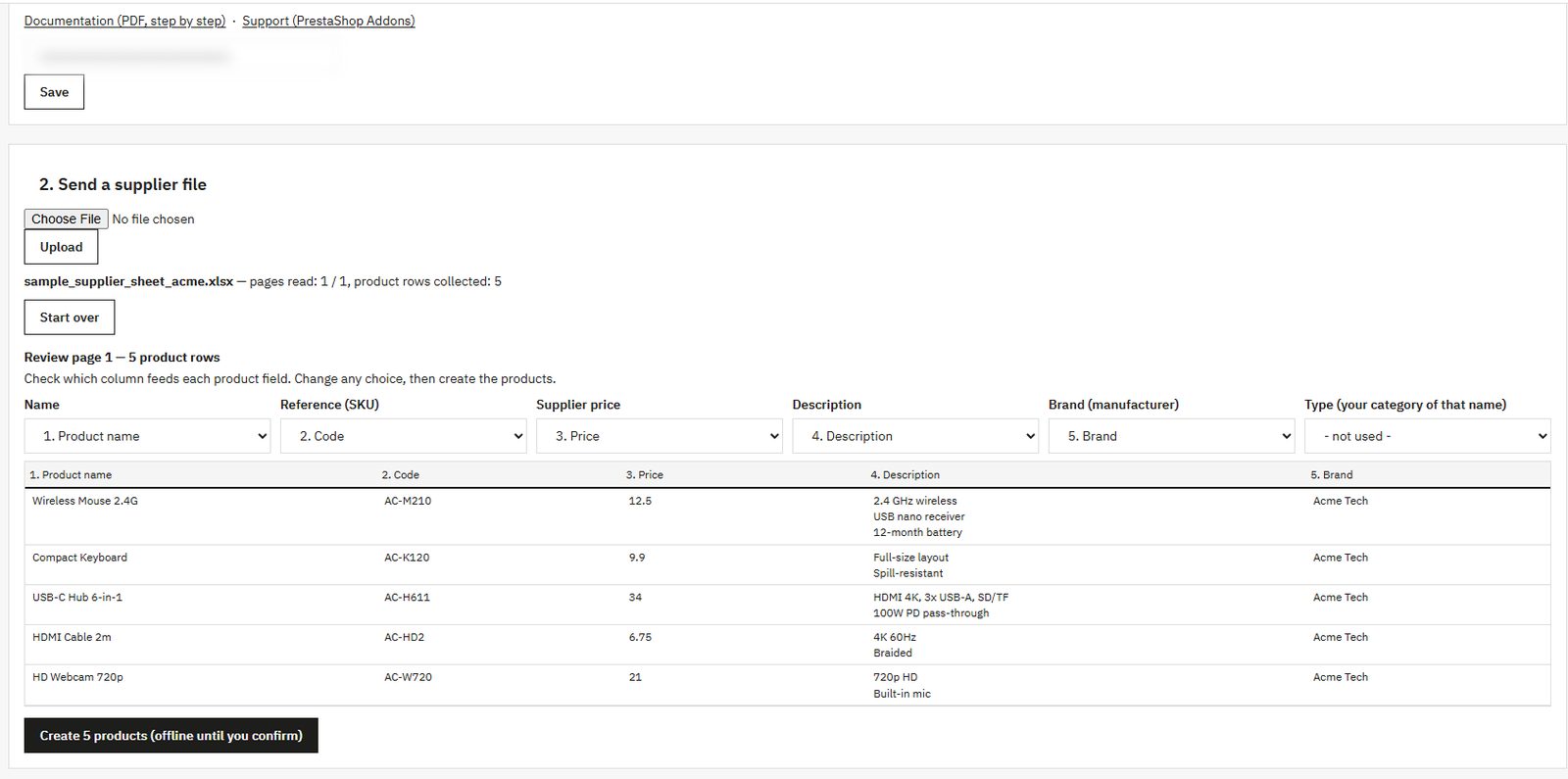
- Upload. Choose the supplier file and upload it. A PDF shows its page count; a spreadsheet goes straight to the review box (see below).
- Read. Read page 1. The engine reads it and the counter shows the pages read and the product rows collected; Read page 2 continues, Start over clears the import.
- Review. The review box shows the rows read from that page. Six choices say which column feeds which field: Name, Reference (SKU), Supplier price, Description, Brand (manufacturer) and Type (your category of that name). Change any choice before creating.
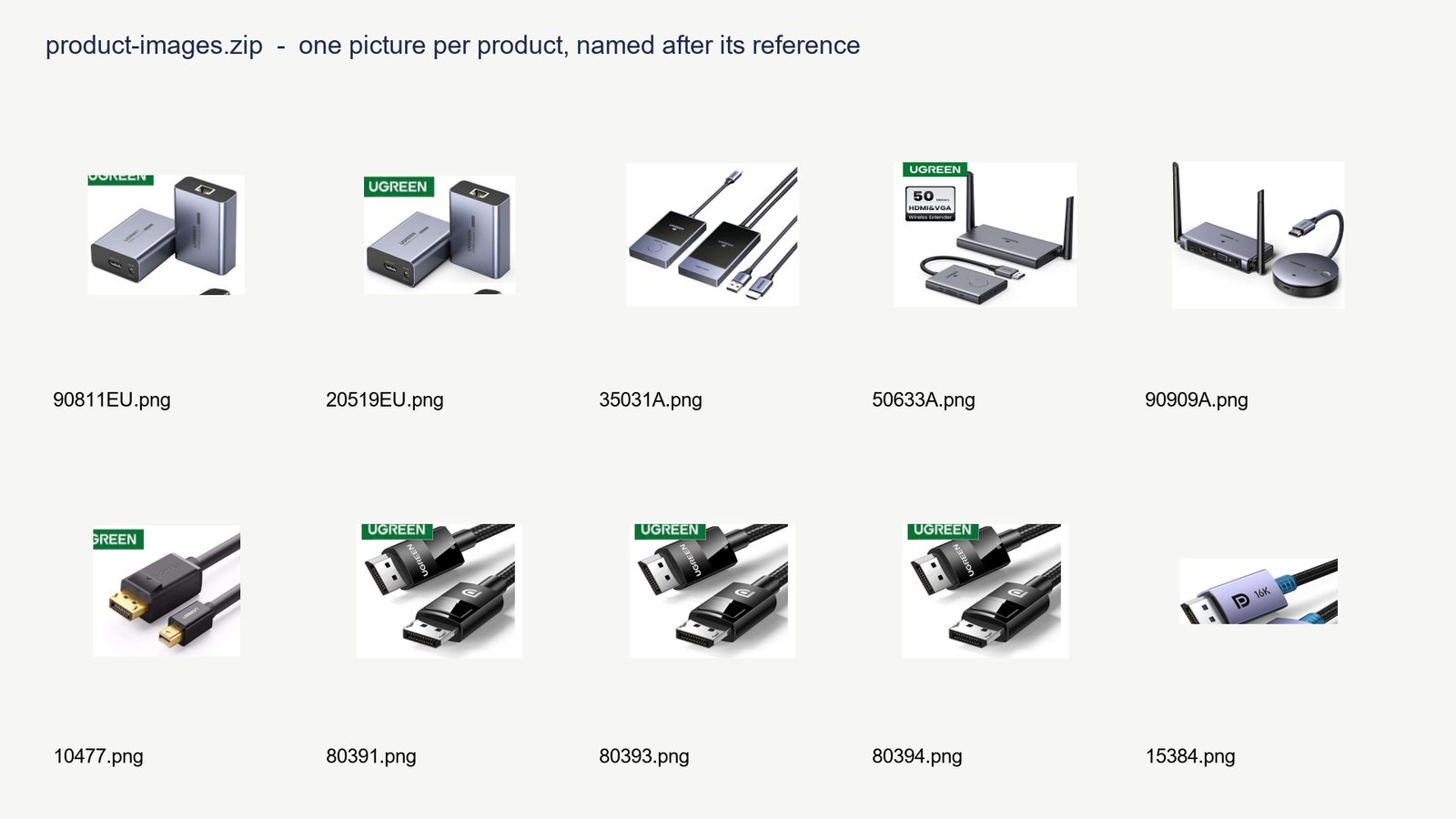
- Photos (optional). Download product images (zip): one picture per product, named after its reference.
- Create. Create the products. They arrive under Catalog > Products offline until you confirm; switch on what you want to sell.
Spreadsheets
When the supplier sends Excel or CSV, there is no reading step: the rows land in the review box as soon as the file is uploaded. Check the column choices and create the products the same way.
Product photos
When the supplier file is a digital PDF with product pictures, the review box offers Download product images (zip): one zip for all the pages read, one picture per product, named after its reference. The module does not attach the pictures to the products; you add them in PrestaShop. Scans, photos and spreadsheets give no pictures.
Honest limit: the module creates products once. It does not update products that already exist: importing the same file again creates the products again, so after the first import you manage them in PrestaShop. It does not sync stock or prices afterwards, does not fetch images or specs from manufacturer sites, and does not touch orders. You review every product before it goes live. That is by design.
Not on PrestaShop, or want the file first? Try it free
The same engine runs on microcitylabs.com without any module: upload a few pages of any supplier file and get the product table back as CSV or Excel. Plans and the agency tiers are on the pricing page; running PrestaShop for clients? Email contact@microcitylabs.com.