Guide · Sage AccountingImport supplier price lists into Sage Accounting
Sage Accounting — the Sage One platform used across South Africa and Nigeria — imports items from its own 24-column Item Import Template, and supplier price lists never arrive in it. The fastest path is to convert the supplier file into that exact template, with the part number as the item Code and the full specs where Sage actually has room for them.
What Sage actually needs
- Its own template: Code, Description, Category, Active, Unit, Price Inclusive, Price Exclusive, Physical, three Text User Fields, numeric and date user fields, Tax Type columns, Cost and Quantity — downloaded from the item import screen, column order kept.
- Code is the part number: the supplier's SKU keeps the item list searchable by the code the supplier quotes.
- Specs go to Text User Field 1: the Description column is short by design; the template's first text user field carries the full specification text without truncating it.
- Which Sage: this is Sage Accounting / Sage One (South Africa, Nigeria and other regions). UK small businesses are usually on Sage 50 — a different product with a different import.
Why supplier files break the import
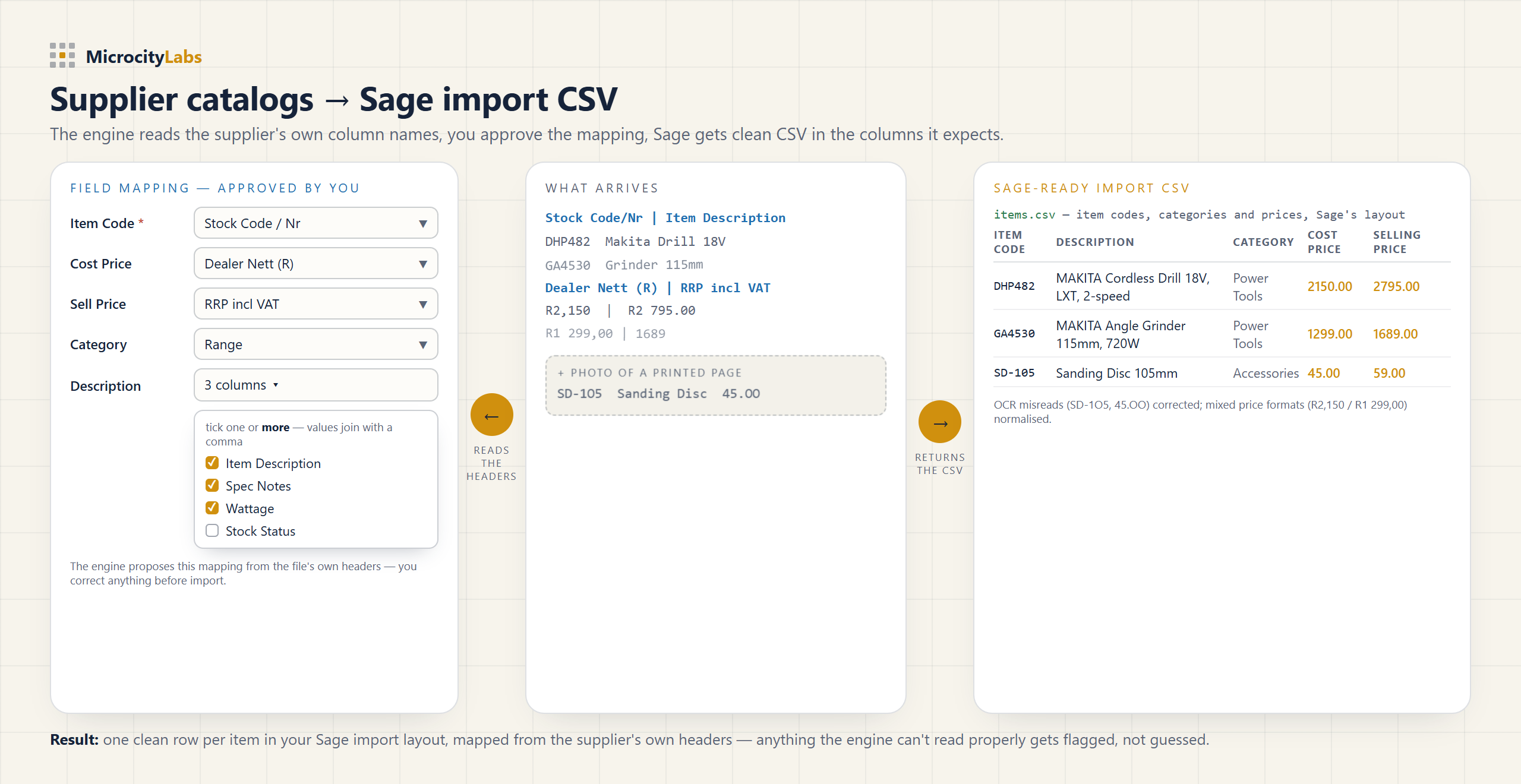
A supplier price list arrives as a PDF with section headings, merged cells, mixed currencies and footnotes — often a scan or a photo of a printed page. Retyping it into Sage's 24-column template by hand takes hours per supplier, every time prices change, and one shifted row prices the wrong item.
The fast way: upload the file, get the CSV back
The MicroCity engine reads the supplier file as it arrives — PDF, Excel, scan or photo — and returns a file in Sage's own Item Import Template, part numbers as Code, full specs in Text User Field 1. The layout is certified against Sage Accounting itself: a converted supplier file imported 3 of 3 rows with 0 failed in a live Sage Accounting company. Anything the engine can't read properly gets flagged, not guessed.
Honest limit: the engine returns the import file — it does not connect to your Sage company or write to it. You run the import yourself and review every line before it goes in. That is by design.
Or the engine does it for you — from £15 per file
Upload your supplier file, check the free 2-page preview, and pay once for the whole file — no account, no subscription. Recurring feeds fit the monthly plans; bookkeeping for clients? Email contact@microcitylabs.com.