How to sync Odoo products to Shopify
There are three ways to get the products you keep in Odoo into a Shopify store: move them as CSV files, use Odoo's own Shopify Connector, or install a module from the Odoo Apps store. Here is what each one does, as its own pages describe it, and then the steps for the module we make.
1. The CSV route
Export the products from Odoo, rearrange the columns into Shopify's product CSV layout and import the file in Shopify. It costs nothing, and each change in Odoo means another export and import. What Shopify's product CSV help page says (read 29 September 2026):
- Variants: the URL handle column is required when you add variants, and if the Option1 name and Option1 value columns are missing, a new default variant is created and the existing variants are deleted.
- Pictures: each picture is given as a URL; Shopify downloads the images during the import and uploads them to the store.
- Stock: the inventory quantity column is used only for stores with a single location; with several locations, quantities go through a separate inventory CSV file.
2. Odoo's own Shopify Connector
Odoo documents a Shopify Connector in its version 19.0 documentation (read 29 September 2026). In its table of synchronized data, products go from Shopify to Odoo, orders, returns, refunds and customers go from Shopify to Odoo, and inventory and deliveries go both ways. The page says it runs on scheduled actions, not in real time. Its setup page says the integration only works with Odoo-SH and requires version 19.0.
3. A module from the Odoo Apps store
The Odoo Apps store lists many Shopify modules, with different directions, versions and prices. The side-by-side comparison puts several of them next to each other, in their own words. The module we make, Odoo to Shopify Sync - Anything to Database, sends products, variants, prices, pictures and stock one way, from Odoo to Shopify, on Odoo 17 and 18.
$149 one-time on the Odoo Apps store.
Step by step with Odoo to Shopify Sync
- 1. Install the module. Download the version that matches your Odoo from the Odoo Apps store, put the folder in your addons path, restart Odoo, then Apps > Update Apps List and install "Odoo to Shopify Sync - Anything to Database". It adds a Shopify Sync app.
- 2. Create the app in the Shopify Dev Dashboard. In the Dev Dashboard of the organization that owns the store, create an app with five access scopes (read and write products, read and write inventory, read locations), release it and install it on the store. Its name cannot contain the word "Shopify".
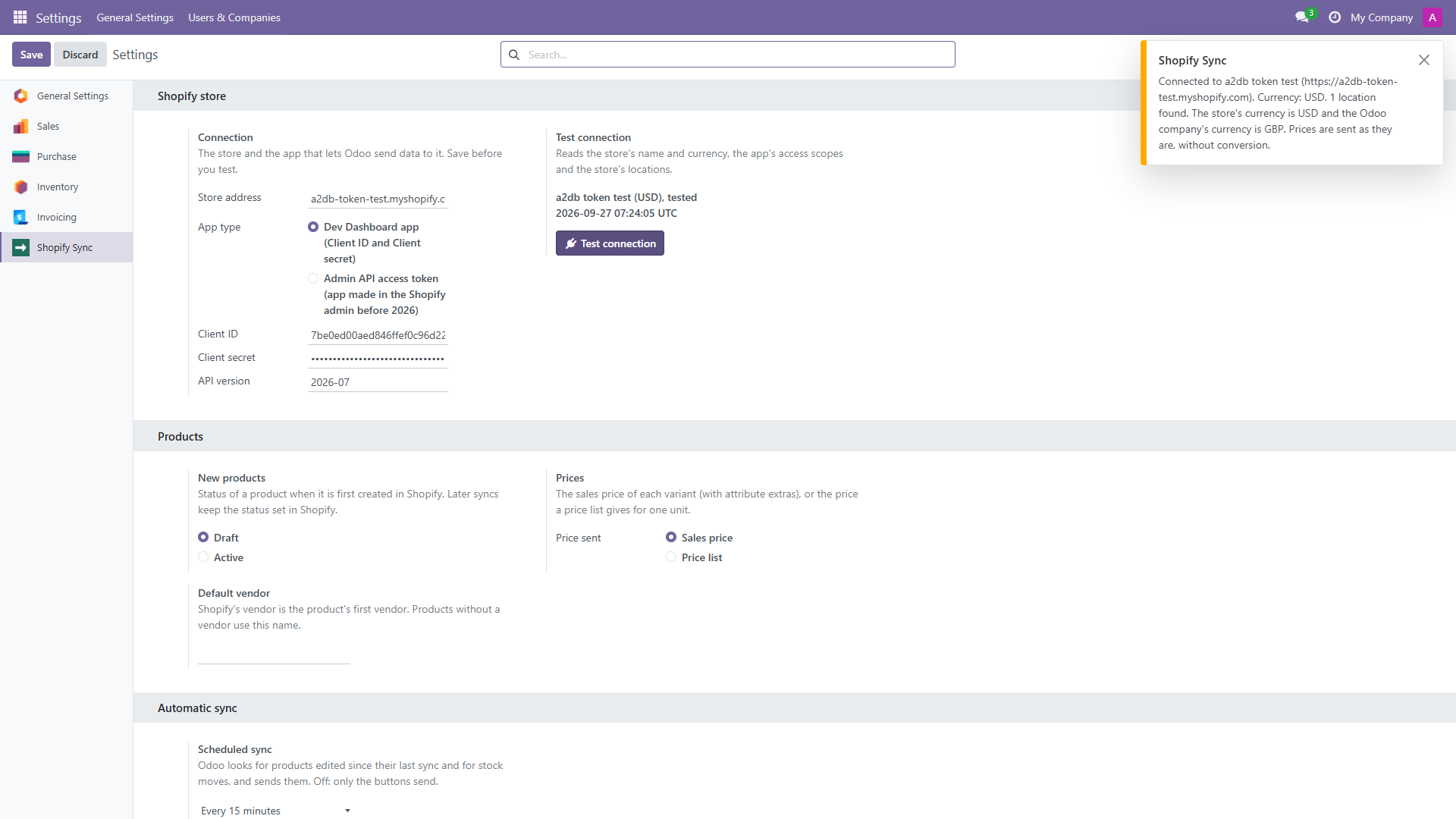
- 3. Connect Odoo to the store. Shopify Sync > Configuration > Settings: the store address, the app's Client ID and Client secret. Save, then Test connection: Odoo reads the store's name, its currency and its locations.
- 4. Map the locations. Pick the Odoo warehouse or stock location that feeds each Shopify location. That is where the stock comes from.
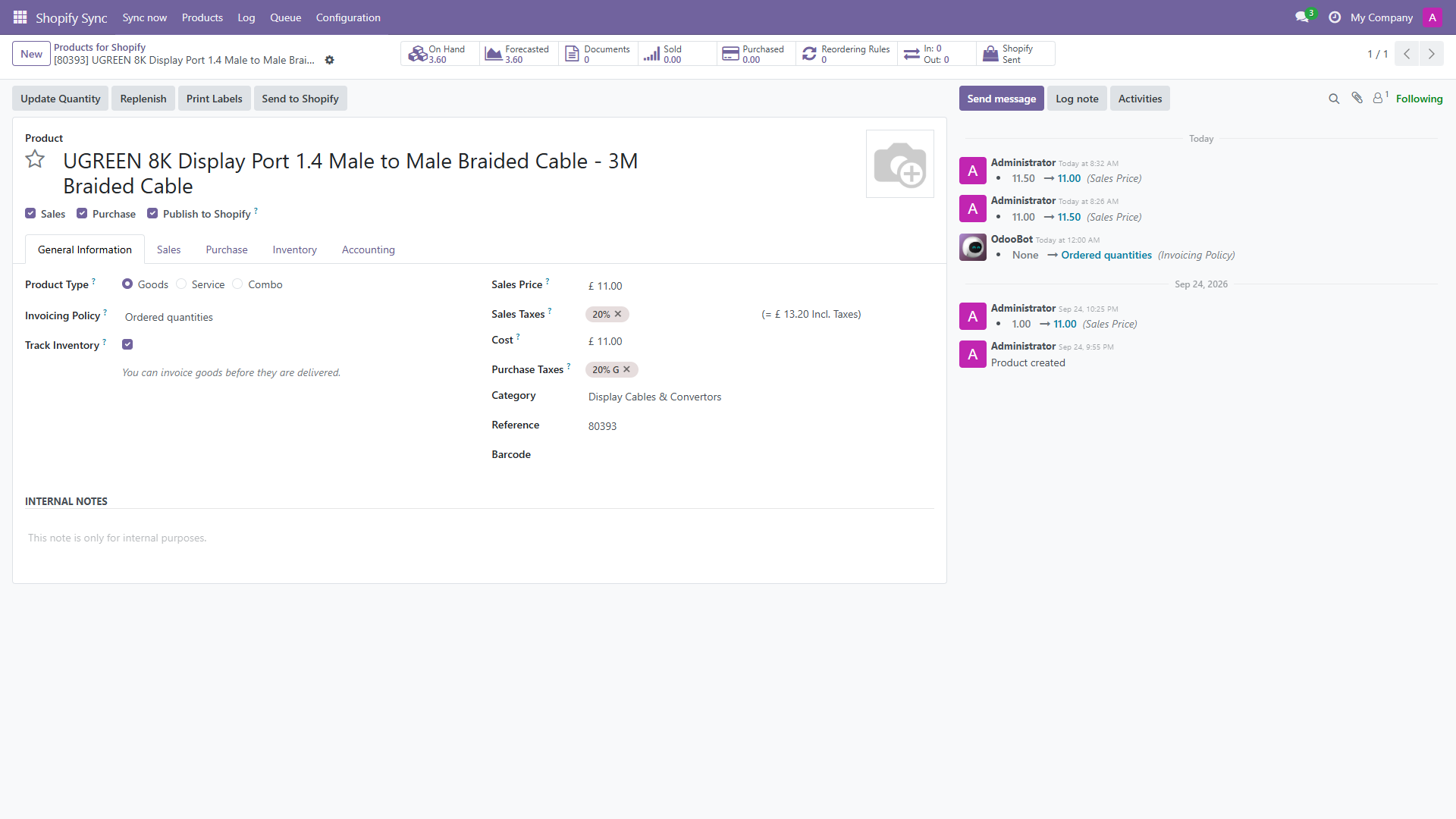
- 5. Send the products. Tick Publish to Shopify on a product and click Send to Shopify. It arrives as a draft with its variants, SKU, barcode, price, vendor, tags and pictures. The next send updates the same product; nothing is duplicated.
- 6. Send the stock. The free, on-hand or forecasted quantity of each mapped location becomes Shopify's available quantity. Only changed quantities are sent.
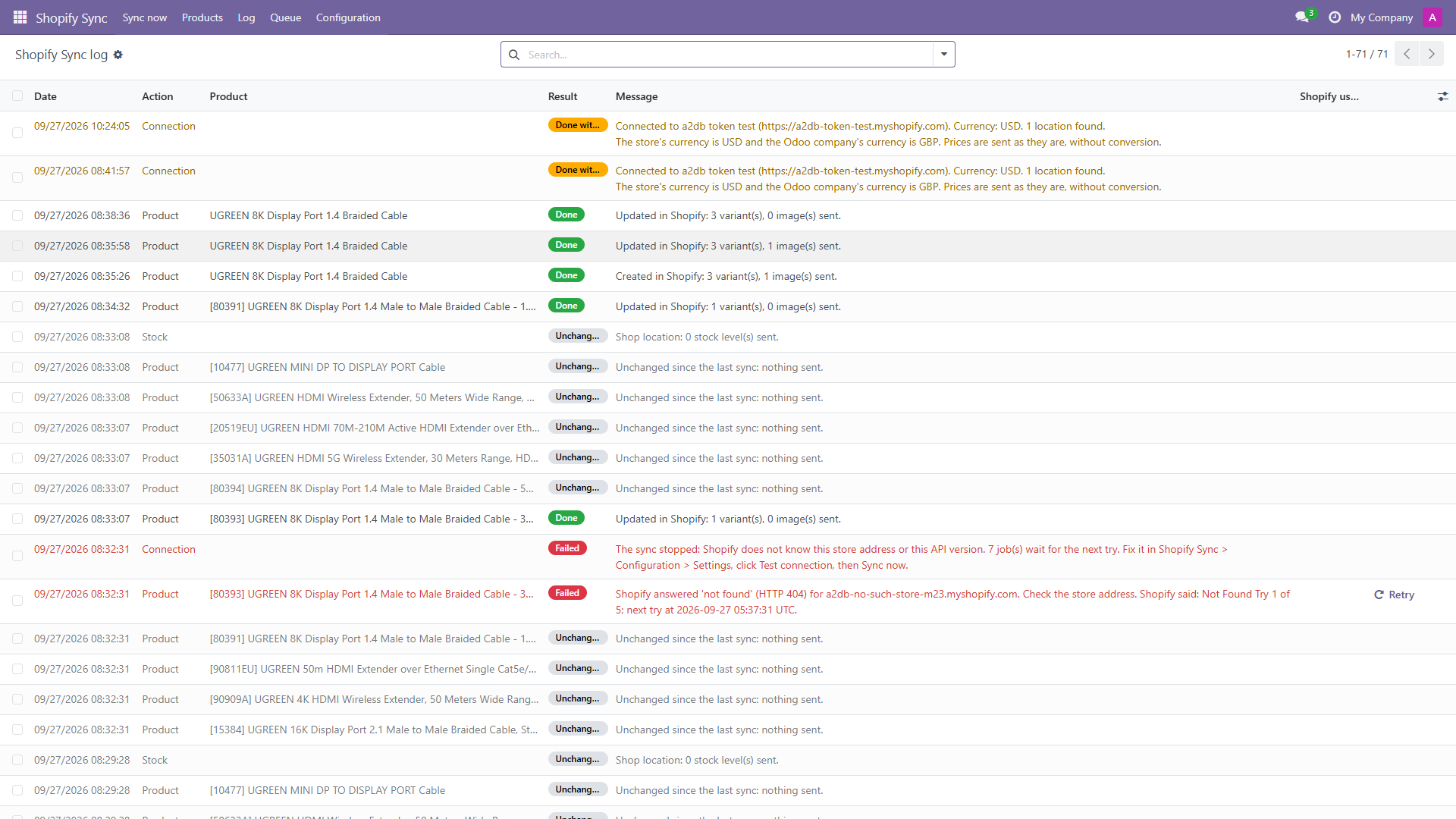
- 7. Let the schedule run and read the log. The scheduled sync sends the products edited since their last sync and the stock that moved. Every send is a line in the log with Shopify's own error text, and a Retry button puts a failed one back in the queue.
Every screen and message is in the full setup guide. If your products start as supplier price lists (PDF, spreadsheet or scan), the Odoo import guide shows how to load them into Odoo first.
Questions
- Do I need Odoo Enterprise to sync products to Shopify?
- Not with the module on this page: it works on Odoo Community and on Enterprise, versions 17 and 18 (tested on Community 17 and 18), on your own server or on Odoo.sh. Odoo Online cannot install modules that carry Python code. Odoo's own Shopify Connector is a different product: its setup page says it only works with Odoo-SH and requires version 19.0.
- Is the sync two-way?
- No. It works one way: Odoo sends, Shopify receives. What you change in Odoo reaches Shopify; changes made in Shopify are not read back into Odoo.
- Does it bring Shopify orders into Odoo?
- No. Orders stay in Shopify. The Shopify app the module uses has product, inventory and location access only.
- How often does Odoo send the changes?
- Every 15 minutes by default; you can choose 5 minutes, up to once a day, or off. Send to Shopify on a product and Sync now send at once.
- What happens to products with variants?
- The Odoo attributes that make variants (length, colour, size) become Shopify options: one Odoo product is one Shopify product, each variant with its own SKU and price. Up to 100 variants and 3 options per product; a product above that is named in the log and not sent.
- What is not included?
- Orders, customers, refunds, payouts, two-way stock, multi-store, Shopify Markets and metafields.